
Fiat on-ramps
This guide describes creating onramp URLs using Transak, Moonpay, and Ramp Network.
Create Onramp URLs for your Users
We offer three integrations, Transak, Moonpay, and Ramp Network, that you can use to generate onramp URLs for your users by defining parameters like the fiat currency, fiat amount, destination wallet address, and the crypto currency.
Transak Onramp
Request Endpoint: reference
POST /fiat-ramp/transak/onRequest Body:
{
    "fiatAmount": "300",
    "fiatCurrency": "USD",
    "cryptoAmount": "0.15",
    "cryptoCurrency": {
        "network": "ETHEREUM",
        "symbol": "ETH"
    },
    "redirectUrl": "https://www.venly.io/",
    "email": "[email protected]",
    "walletAddress": "0x3FE9a7D68C6a4a2d6575A6C803E4CDF9340E370E"
}| Parameter | Type | Description | Required |
|---|---|---|---|
fiatAmount | Number | The amount in fiat currency showing how much your user wants to spend. If this is passed, the user can't change the fiat amount later. This param will be skipped if fiatCurrency is not passed. | ❌ |
fiatCurrency | String | The code of the fiat currency (e.g. USD, AUD, GBP) you want the user to purchase with. | ❌ |
cryptoAmount | Number | An integer amount showing how much crypto your user wants to buy. This parameter will be skipped if cryptoCurrency.symbol is not passed. This parameter will be skipped if a valid combination of fiatCurrency and fiatAmount is passed | ❌ |
cryptoCurrency.network | String | The crypto network such as bitcoin or ethereum that you would allow your customers to buy/sell. Can be obtained from the response of the Get supported fiat and crypto currencies endpoint . | ❌ |
cryptoCurrency.symbol | String | The code/symbol of the cryptocurrency you want the user to buy/sell. Can be obtained from the response of the Get supported fiat and crypto currencies endpoint . | ❌ |
redirectUrl | String | Once the customer has completed the purchase/sell process, Transak will redirect back to this URL with additional order info appended to it as parameters. | ❌ |
email | String | The email that will be used to identify your user and their order. | ❌ |
walletAddress | String | The wallet address of your user where crypto will be sent to. | ❌ |
isFeeCalculationHidden | Boolean | If this is set to true, your user won't see a detailed breakdown of fees—they'll only see the total fee | ❌ |
hideMenu | Boolean | When true, then the user will not see the menu options. This will hide the menu completely | ❌ |
kycShareToken | String | A token that enables the secure transfer of a user’s existing KYC data from Sumsub to Transak. If a user has already completed KYC verification with Sumsub, this token allows Transak to accept that verification, so the user doesn’t need to go through KYC again. | ❌ |
Response Body:
{
    "success": true,
    "result": {
        "url": "https://global-stg.transak.com?apiKey=9d45e3b1-9b6b-4ed6-94aa-a093693ef7c0&productsAvailed=BUY&fiatAmount=300&fiatCurrency=USD&walletAddress=0x3FE9a7D68C6a4a2d6575A6C803E4CDF9340E370E&redirectUrl=https%3A%2F%2Fwww.venly.io%2F&email=abdullah.baig%40venly.io&network=ETHEREUM&cryptoCurrencyCode=ETH"
    }
}
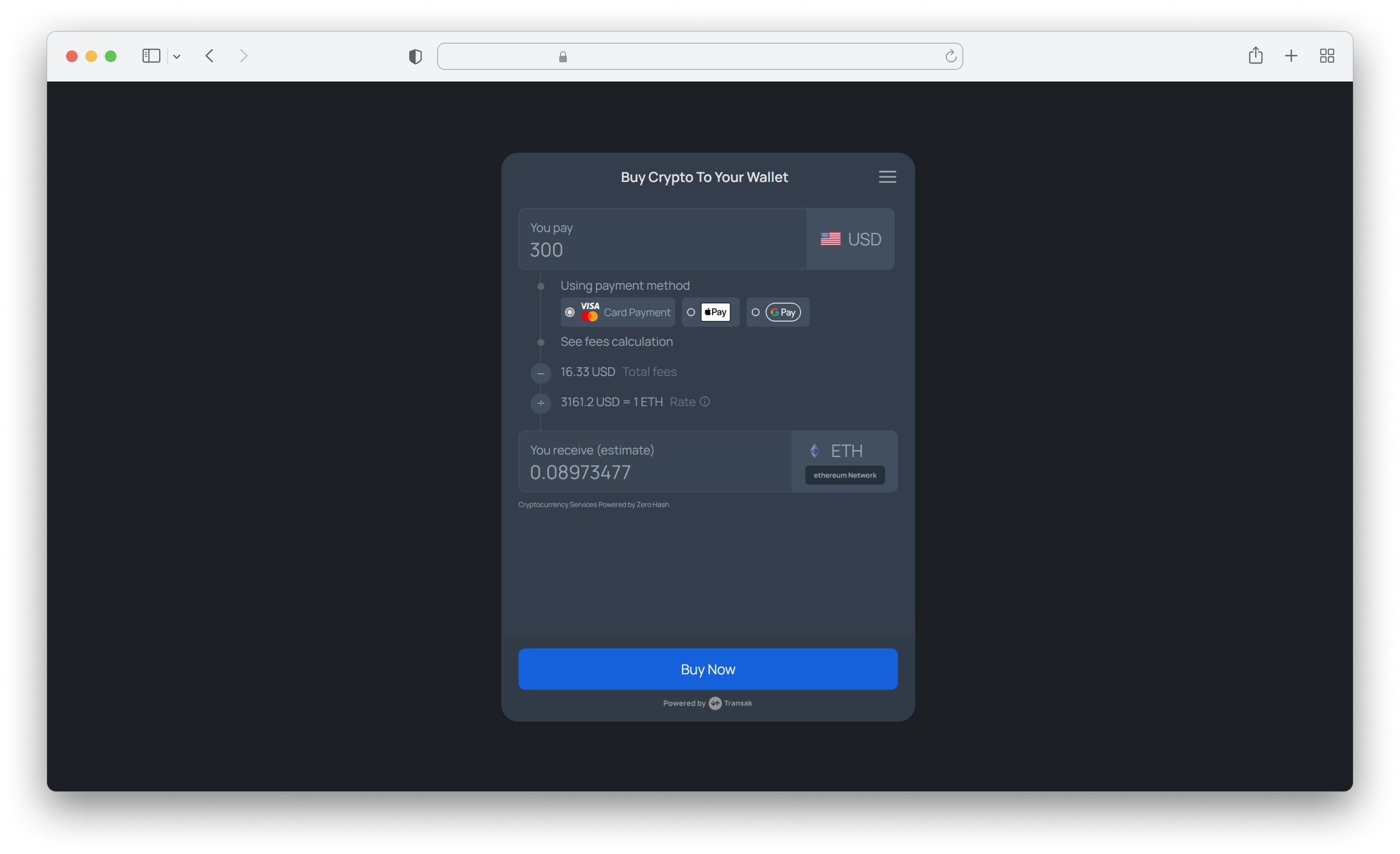
Generated URL Preview
Moonpay Onramp
Request Endpoint: reference
POST /fiat-ramp/moonpay/onRequest Body:
{
    "fiatAmount": "300",
    "fiatCurrency": "EUR",
    "cryptoAmount": "0.15",
    "cryptoCurrency": {
        "symbol": "ETH"
    },
    "redirectUrl": "https://www.venly.io/",
    "email": "[email protected]",
    "walletAddress": "0x3FE9a7D68C6a4a2d6575A6C803E4CDF9340E370E"
}| Parameter | Type | Description | Required |
|---|---|---|---|
fiatAmount | Number | A positive integer represents how much the user wants to spend in fiat. | ❌ |
fiatCurrency | String | The code of the fiat currency (e.g. USD, AUD, GBP) you want the user to purchase with. | ❌ |
cryptoAmount | Number | A positive integer representing how much crypto the user wants to buy. If you pass both fiatAmount and cryptoAmount, the cryptoAmount amount will take precedence. | ❌ |
cryptoCurrency.symbol | String | The code/symbol of the cryptocurrency you want the user to buy/sell. Can be obtained from the response of the Get supported fiat and crypto currencies endpoint . Mandatory if walletAddress is passed. | ❌ |
redirectUrl | String | This is the URL where you want to send the user after they finish the buying process. A transaction ID and status are added to the URL as query parameters by Moonpay. | ❌ |
email | String | This is the user's email address. If you provide a valid email address, the user won't need to enter it. | ❌ |
walletAddress | String | This is the cryptocurrency wallet address where the purchased funds will be sent. If a valid wallet address is passed, the user won't need to enter one. | ❌ |
Response Body:
{
"success": true,
"result": {
"url": "https://buy-sandbox.moonpay.com?apiKey=pk_test_uHJf0DO1w0yfpJxhh7xkLaejUmjeY0&baseCurrencyAmount=300&baseCurrencyCode=EUR&walletAddress=0x3FE9a7D68C6a4a2d6575A6C803E4CDF9340E370E&redirectUrl=https%3A%2F%2Fwww.venly.io%2F&email=abdullah.baig%40venly.io¤cyCode=imx&signature=XlJGPnR3v3CDw1He8MyLjB%2Fw%2FNt9TctO%2FmE71f1a660%3D"
}
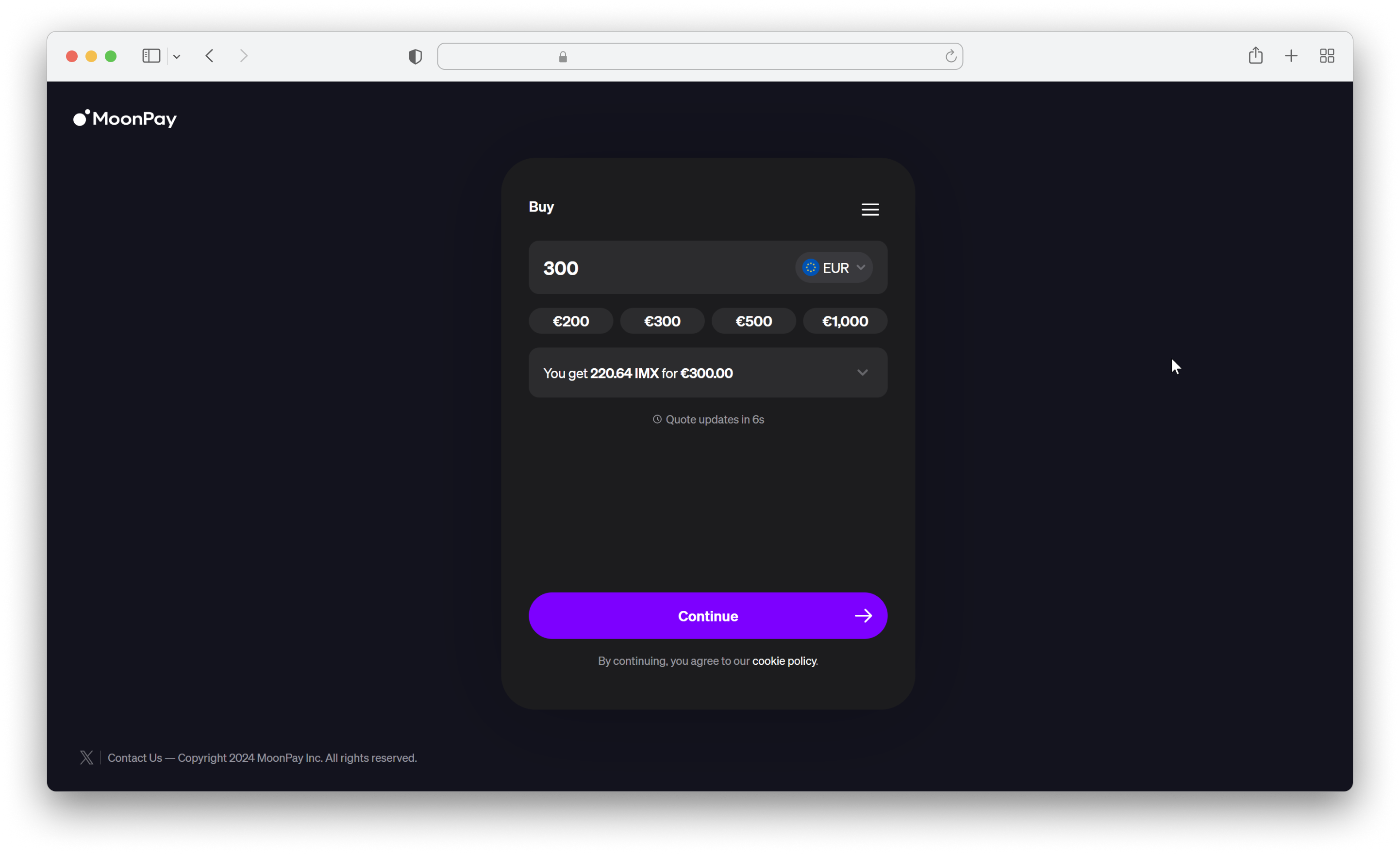
}Generated URL Preview
Ramp Network Onramp
Request Endpoint: reference
POST /fiat-ramp/ramp-network/onRequest Body:
{
    "fiatAmount": "300",
    "fiatCurrency": "USD",
    "cryptoAmount": "0.15",
    "cryptoCurrency": {
        "network": "MATIC",
        "symbol": "MATIC"
    },
    "redirectUrl": "https://www.venly.io/",
    "email": "[email protected]",
    "walletAddress": "0x3FE9a7D68C6a4a2d6575A6C803E4CDF9340E370E",
    "selectedCountryCode": "US"
}| Parameter | Type | Description | Required |
|---|---|---|---|
fiatAmount | Number | A positive integer representing how much fiat the user wants to spend. It will be overridden by cryptoAmount, if passed. | ❌ |
fiatCurrency | String | The code of the fiat currency (e.g. USD, AUD, GBP) you want the user to purchase with. Mandatory if fiatAmount is passed. | ❌ |
cryptoAmount | Number | A positive integer representing how much crypto the user wants to buy. If left blank, the user will choose the amount on their own. | ❌ |
cryptoCurrency.network | String | The crypto network such as bitcoin or ethereum that you would allow your customers to buy/sell. Can be obtained from the response of the Get supported fiat and crypto currencies endpoint. Mandatory if cryptoCurrency.symbol is passed. | ❌ |
cryptoCurrency.symbol | String | The code/symbol of the cryptocurrency you want the user to buy/sell. Can be obtained from the response of the Get supported fiat and crypto currencies endpoint . | ❌ |
redirectUrl | String | The URL the user will be redirected to after completing the flow. | ❌ |
email | String | The email address for your user to make their onramping experience even quicker. | ❌ |
walletAddress | String | The wallet address of your user where crypto will be sent to. | ❌ |
selectedCountryCode | String | This param pre-selects the user's country. The value should be a two-letter country code (ISO 3166-1 alpha-2). | ❌ |
Response Body:
{
    "success": true,
    "result": {
        "url": "https://app.demo.ramp.network?hostApiKey=unkvxgqfdpbpzet33gqnpnf2at7p7rytq458avkc&fiatValue=300&fiatCurrency=USD&userAddress=0x3FE9a7D68C6a4a2d6575A6C803E4CDF9340E370E&finalUrl=https%3A%2F%2Fwww.venly.io%2F&userEmailAddress=abdullah.baig%40venly.io&selectedCountryCode=US&swapAsset=MATIC_MATIC"
    }
}
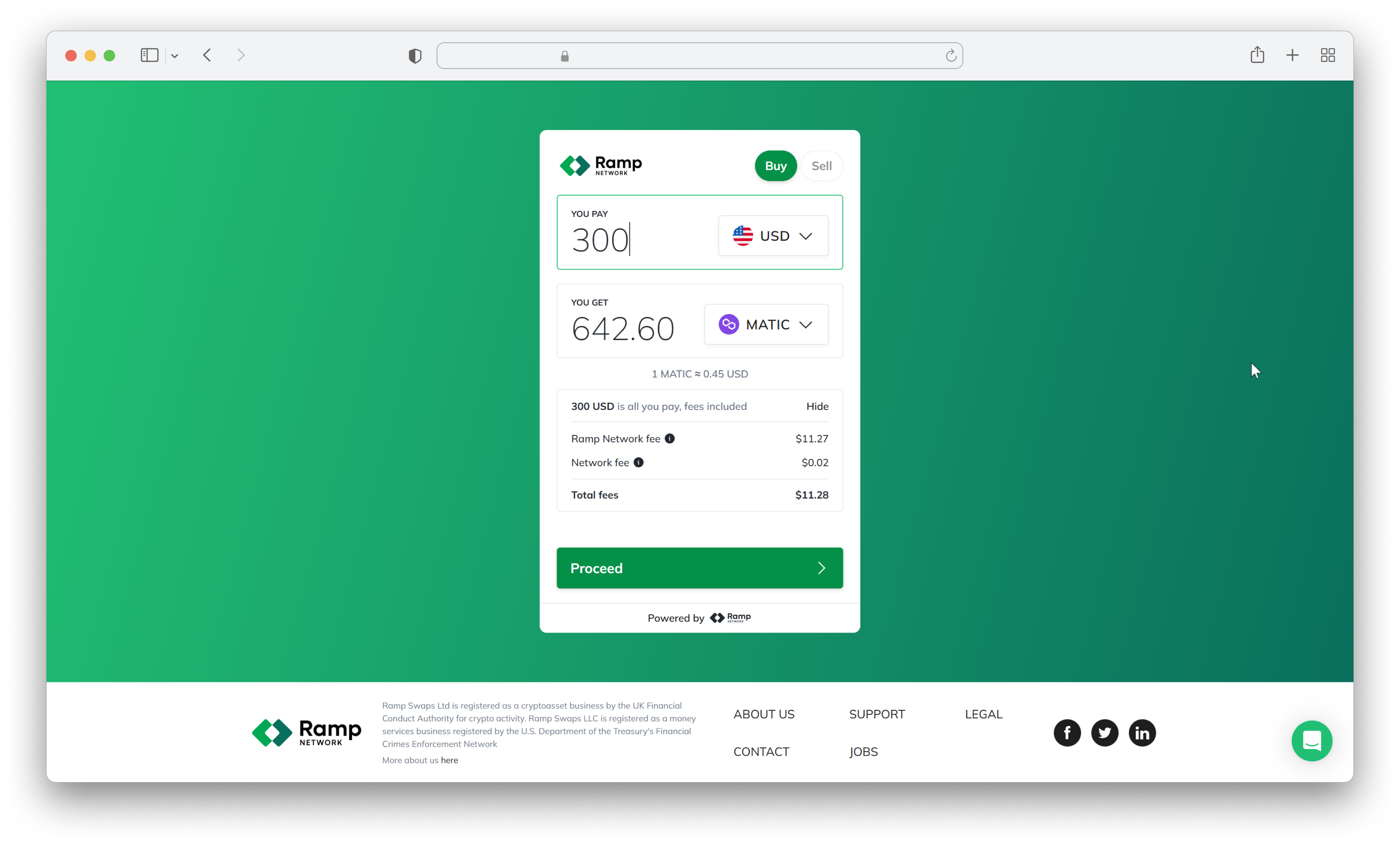
Generated URL Preview
Updated 15 days ago
Did this page help you?